
Portal de Aprendizaje

"iCortex™ Smart Routing proteje la fatiga visual de su usuario"

What are “Logs”?

Lectura estimada: 2 minutos 429 views Colaboradores

Sumario: Learn what are the Notification "Logs", where to find them and what they can be used for.

The “Logs” section of our platform contains the list of messages sent in the last 5 days. In this article, we will show you how to check your latest records:

  1. Enter from the main menu by clicking on the “Logs” option located at the bottom:
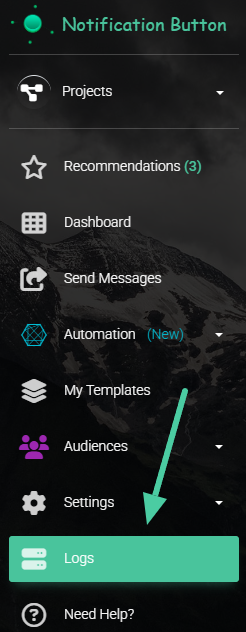
You can follow this link to enter directly.

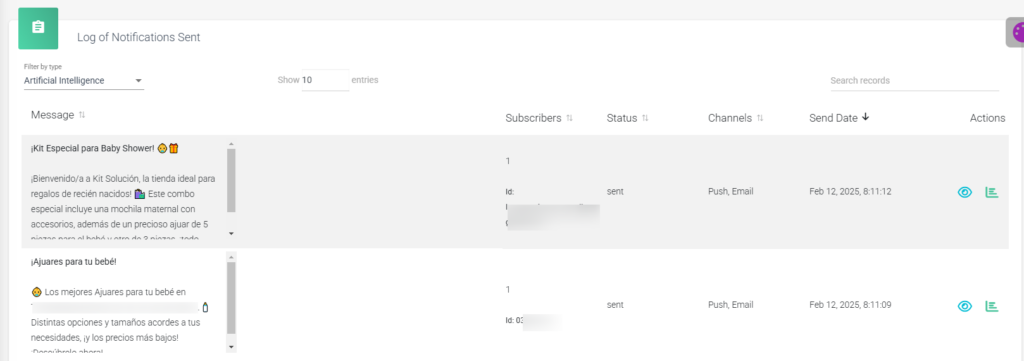
2. Once on the “Logs” screen, you will have access to all the messages that have been sent from the application over the last 5 days. You will be able to see details of the message, its status, the channels, the sending date, and an actions column:
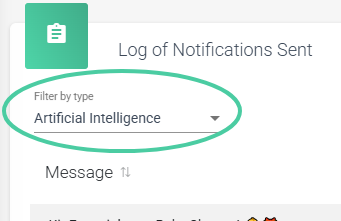
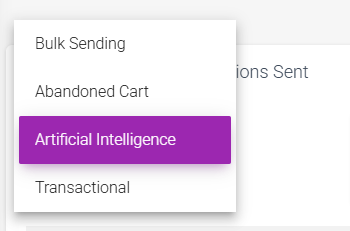
3. You can also filter your messages to see only the ones you need. The options are: AI, Mass shipments, Abandoned carts, and Transactional. By clicking on any of the options, the platform shows you only the messages belonging to that category:
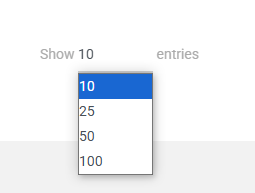
4. You can also set the number of entries you want to see in your record list:
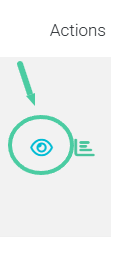
5. In the actions column, you can see the details of your message by clicking on the eye icon..
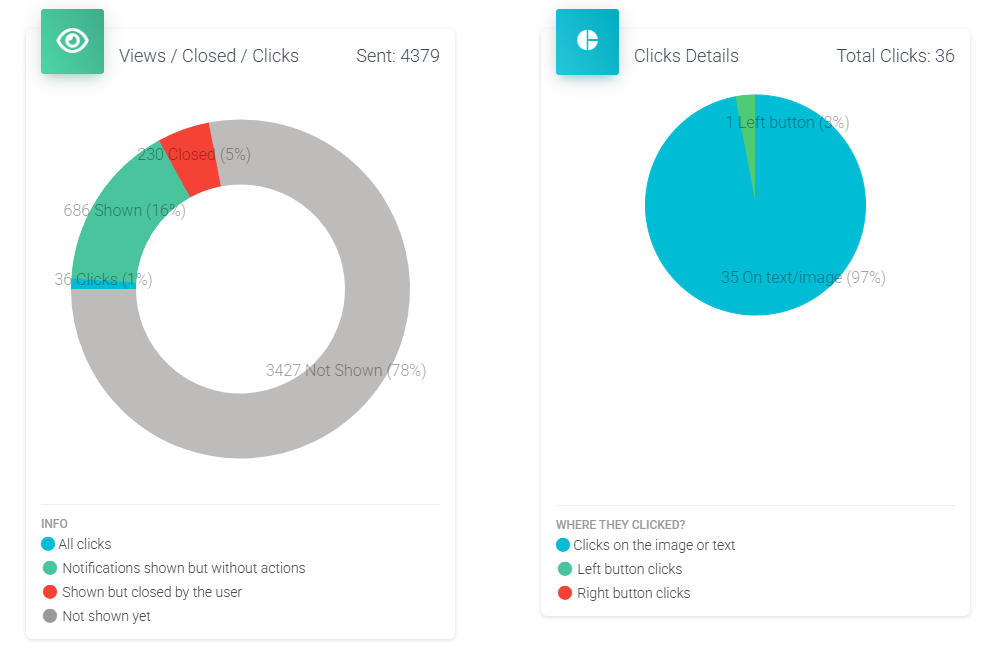
6. And you also have access to the success report of the notification. To enter there, click on the bar chart icon next to the eye icon.:
It’s that easy to check your records; if you’ve already sent notifications, remember to follow up on your subscribers’ behavior in this section so you can maintain a strong loyalty strategy.

Compartir documento

What are “Logs”?

o copiar link

CONTENIDOS

Protocolos de Etiquetado y Segmentación

Los protocolos de etiquetado son un mecanismo fundamental para la hiper-segmenta...

Planes #1420

¿Alguna vez has sentido que tu tienda online está estancada, sin alcanzar todo...

Lifestyle Engine: Contextualización y Escalabilidad Visual

En el E-commerce de alto volumen, la producción de contenido visual suele ser u...

Custom footers and headers for Emails

The emails you send to your customers are an extension of your brand. Now you ca...

Cleaning of inactive subscribers

Cleaning up your subscribers is something you really need to do to keep your con...

How to connect your TikTok account

Did you know that the same message you send to your subscribers could be reachin...

Add Gifs to my Emails

In a world where attention is key, the key to standing out is connection. GIFs a...

Protocolos de Inserción de Campos Dinámicos

La utilización de campos dinámicos permite la contextualización precisa de ca...

Email Editor

Our upcoming professional email editor lets you fully customize your campaigns w...

How to login with Pinterest

Learn how to login and link your Pinterest with NotificationButton

Visualizador de Hitos de Ingresos

Este gráfico revela el comportamiento preciso de los Perfiles antes de cada con...

Integración de Pinterest en iCortex

Procedimiento para la publicación programada de contenido visual en Pinterest d...

Chat Icon Close Icon