

Order status notifications

Once their purchase is confirmed, your customer will be able to receive notifications about the status of their order. In this article, we will take a walk through the process of receiving these messages.
There are three order statuses which are sent as push notifications and email.
Note: all order statuses are sent only by push notifications, except for “about to be shipped,” which is also sent by email.
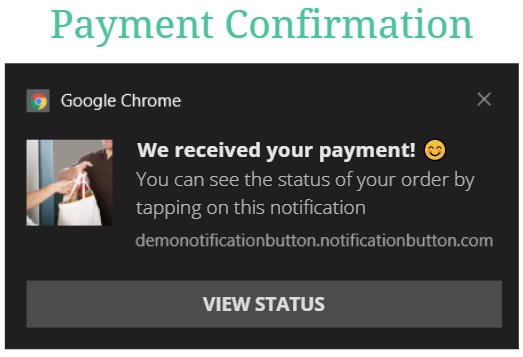
1. Status: “Payment approval”
This is the first notification generated when the payment for an order is approved. The message that your customer receives will look as follows:
2. Status ‘Ready to be sent’
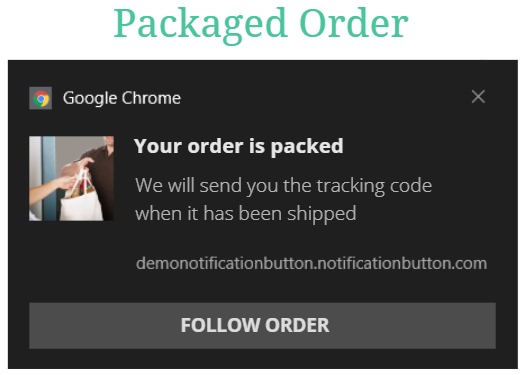
When the order is in the packaging or assembly process, the second alert is generated. The message your customer will receive will be the following:
3. State “Send Tracking number”
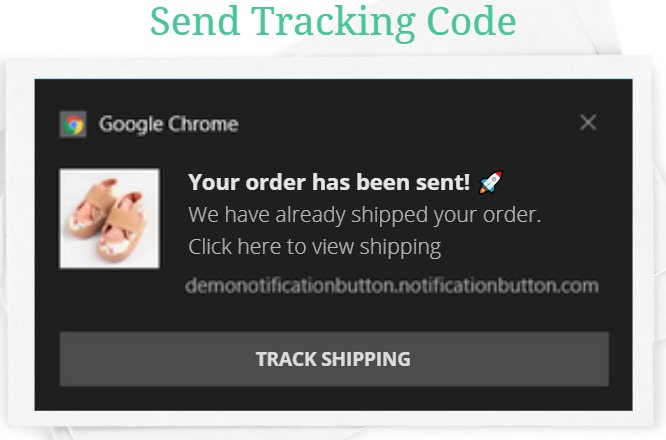
Finally, when the order has been shipped, the customer will receive a message containing the tracking number. This message is sent only when the order is being shipped by carrier; if it will be “picked up in-store” or delivered “to be agreed,” this notification is not sent.
The message looks as follows:
🛑Important: you must register the tracking number in the order status so that the notification includes that information.
How to include the tracking code
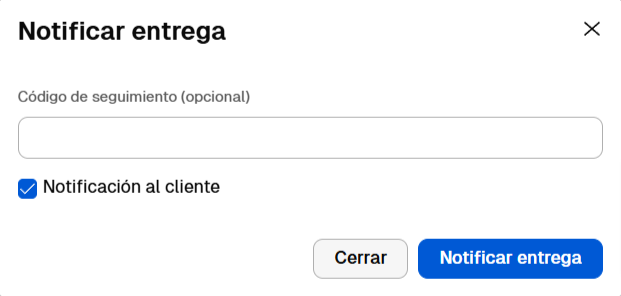
If you have your store hosted on Tienda Nube, you can include the tracking number provided by the shipping company so that the push notification carries the information. Enter it in this field:
The order status messages are recorded in the “History” section for 5 days and then deleted.
These notifications allow your customer to have first-hand information about their order and also provide a more efficient and automated after-sales service.


